


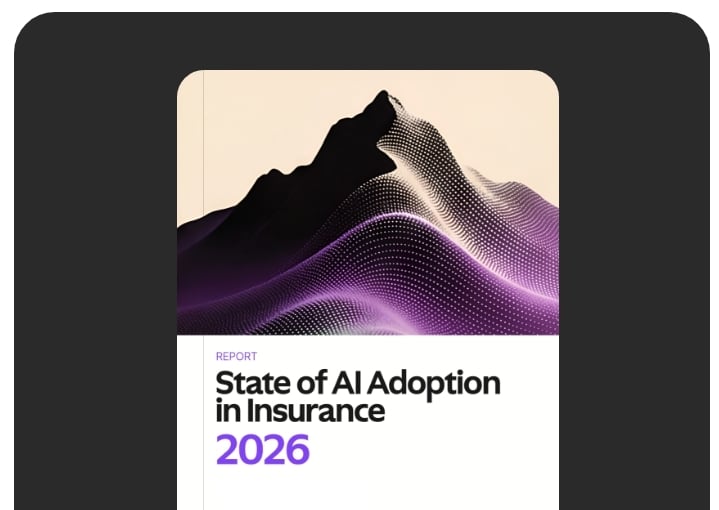








Read the full storyBevaya’s AI agents reduced our claims indexing from 5 days to under an hour. The accuracy was better than our most experienced staff on day one.
AI Agent · Claims
Meet your AI Agent for Legal Demand Processing
Every demand letter starts a clock — sometimes a 30-day clock, sometimes a Stowers clock, always an expensive one. Your Legal Demand Processing AI Agent identifies the demand the moment it arrives, captures the deadline, extracts the key facts, and alerts the right adjuster or coverage counsel — before the window closes.
Trusted by leading P&C carriers, brokers, and TPAs
The demand-handling problem
Demand letters are the most expensive thing in your inbox to miss.
A demand letter is a deadline, a damages exposure, a reserve event, and sometimes a reinsurance trigger — all in one document. And it arrives in the same queue as everything else.
The clock starts before anyone sees it.
A demand letter lands in a shared inbox at 11pm Friday. By Monday morning the response window has burned three days. By the time a human flags it, the runway is gone — and so is the bad-faith defense.
Senior coverage time is being spent on data entry.
The people qualified to evaluate a demand — coverage counsel, litigation specialists, senior adjusters — are the ones least appropriate to spend the first hour hunting for the demand amount, the damages breakdown, and the response deadline.
A demand you didn't see is a reserve you didn't set.
A $2M demand discovered Monday means reserves were wrong all weekend, reinsurance notice may already be late, and your loss-pick variance for the quarter just moved — for reasons nobody can explain to the board.
How your AI Workforce works
From inbound document to alerted adjuster, in minutes.
Your work begins in claims inboxes, mailrooms, broker portals, and intake APIs. Your decisions get recorded in your claims system, your litigation tracker, and your compliance log. In between, the AI Agent does the four jobs that used to fall on a person with a stopwatch.
NUMBER
Outcomes
Tighter compliance. Sharper reserves. More time on the response.
99% straight-through processing and 246% ROI in just 6 months.
Fortune 500 Carrier Property & Casualty
We evaluated six AI vendors. Bevaya was the only one that understood our underwriting workflows from day one — no six-month education period.
Chief Underwriting Officer Specialty Carrier · $2B+ GDP
The confidence scoring changed everything. Our reviewers know exactly which items need attention and which can go straight through. We trust it.
Director of Operations Workers’ Compensation Insurer · 74 NSP
Cut COI turnaround from 24 hours to minutes and saved millions.
Top-5 Broker National
THE ENGINE INSIDE
Built for legal demand analysis, not generic document reading.
Generic AI can read a letter. It can't tell a 30-day Stowers demand from a routine settlement offer, or spot the damages framing that signals policy-limits exposure. Legal Demand Processing runs on a specialized model in the InsurGPT™ mosaic — trained on real legal correspondence by insurance and legal experts, with a verification layer that checks the work before it routes.
Triangulation across sources
InsurGPT™ doesn't summarize a single document and call it done. It reads the full file, cross-references facts between sources, and reconstructs the story no individual document contains.
Cross-Document Verification | Cross-checked
Pulls the same fact from every source in the claim — police reports, medical narratives, demand letters, FNOL — and reconciles inconsistencies before they reach your queue.
Timeline Reconstruction | Sequenced
Builds a unified chronology of the loss event from scattered timestamps across the entire file, so the story reads in order — not in the order documents arrived.
Conflict Detection | Flagged
Flags contradictions between documents — a date of loss in the FNOL that doesn't match the medical narrative — before they become a coverage dispute.
Role-specific intelligence
Same file, different summaries. An adjuster's brief is not a supervisor's brief is not an attorney's brief. The Agent knows which facts matter to which role and surfaces them accordingly.
Adjuster Brief | Tactical
Tactical view: claim status, current exposure, missing documents, and next-best actions. The working summary an adjuster reads between calls.
Supervisor Brief | Portfolio
Portfolio view: reserves vs. severity, escalation risk, SLA exposure, and which files need a second look before they go sideways.
Litigation Brief | Exposure
Risk view: legal demands, damages cited, exposure vs. policy limits, and the timeline a litigator needs before responding to opposing counsel.
Grounded, never invented
X-Ray Mode shows the source document for every fact in the summary. Adjusters verify in one click. Hallucinated claim details have no path to production.
X-Ray Mode | Traceable
Click any fact in the summary and jump straight to the exact page, paragraph, and coordinates where it was sourced — no manual searching through multi-page PDFs.
Field-Level Citations | Cited
Every extracted value carries its origin — page number, line, and X/Y position on the document — so verification takes seconds, not minutes.
Confidence Thresholds | Calibrated
Every fact ships with a calibrated confidence score. Set the bar where you want it: above auto-processes, below routes to a human reviewer.
What It Does
Built for the specific work of demand handling.
How it works
An AI layer that sits on top of your existing stack.
Bevaya orchestrates the tools your team already uses. Your stack stays in place. The intelligence layer over it.
(Outlook)
Bevaya
Intelligence + orchestration layer for insurance workflows
Industries
Claims
Alerts
Alerts
MORE AI AGENTS FOR CLAIMS
Built to work together.
Underwriting Automation Overview
End-to-end automation across the underwriting lifecycle — from submission intake through quote, bind, and renewal.
UnderwritingSubmission Intake
Monitors broker inboxes, classifies submissions, extracts data from ACORDs and supplementals, and populates underwriting systems automatically.
UnderwritingLoss Run Processing
Extracts and normalizes loss data across carriers, identifies trends, and produces structured loss histories ready for underwriting review.
UnderwritingSchedules & SOV Extraction
Reads Statement of Values spreadsheets and property schedules in any format, normalizes the data, and delivers clean structured exposure data.
UnderwritingACORD Form Extraction
Extracts data from all ACORD forms, validates fields against carrier rules, and pushes clean structured data into underwriting systems.
UnderwritingPolicy Renewal Handling
Pulls expiring policy data, refreshes exposures and loss runs, and assembles a complete renewal package for the underwriter.
UnderwritingPolicy to Policy Comparison
Compares expiring and renewal policy terms, flags coverage and limit changes, and surfaces material differences for underwriter review.
UnderwritingClaims Automation Overview
End-to-end automation across the claims lifecycle — from FNOL through investigation, settlement, and payment.
ClaimsFNOL / FROI Setup
Captures first notice of loss and first report of injury details from email, phone, or portal, structures the data, creates the claim file, and assigns it to the right adjuster.
ClaimsClaim to Policy Comparison
Compares loss details against policy terms to surface coverage, exclusions, and obligations before the adjuster makes a call.
ClaimsClaim Indexing
Classifies, indexes, and routes claims documents to the right adjuster or team. Handles hundreds of document categories with up to 99% STP.
ClaimsLegal Demands Identification & Extraction
Reads demand letters and legal correspondence, extracts allegations, damages, and deadlines, and routes them with full context to the claims team.
ClaimsMedical Bill Identification & Extraction
Reads medical bills and provider records, extracts CPT/ICD codes, charges, and dates of service, and links them to the claim for adjuster review.
ClaimsInvoice Payment Processing
Processes vendor and provider invoices against claim files, validates against authorized services, and routes for payment approval automatically.
ClaimsClaim File Summarization
Reads complex claim files and produces role-specific summaries. Key details, timelines, and action items surfaced for the adjuster.
ClaimsPolicy Servicing Automation Overview
End-to-end automation across policy servicing — from endorsements and certificates through billing inquiries and audits.
Policy ServicingEndorsement Processing
Reads endorsement requests, validates against the policy, drafts the change, and routes it for approval and issuance.
Policy ServicingCOI Creation
Generates Certificates of Insurance from policy data, validates additional insured language, and delivers certificates to brokers and insureds automatically.
Policy ServicingPremium Audit Processing
Classifies audit documents, extracts payroll and classification data, populates systems, and requests missing information from policyholders.
Policy ServicingCustom AI Agents
Don't see the AI Agent you need?
Bevaya's platform extends to fit your operation. We can build a custom AI Agent for your specific underwriting workflow — trained on Bevaya's insurance-native AI and integrated with your systems.
Resources & insights
Resources for claims and litigation leaders.

Research
Page stream segmentation with LLMs
How Bevaya Labs approaches a foundational problem in insurance document AI.

Case Study
Workers' comp carrier processes claims 100x faster
How indexing automation delivered 432% ROI in 12 months.

Architecture
Inside the Bevaya platform architecture
How specialized models, HITL controls, and integrations come together in production.
FAQ
Frequently asked questions
No. Legal Demand Processing is decision support, not decision authority. It identifies, triages, extracts, and alerts. Every coverage decision, every settlement decision, every response strategy stays with your adjusters and coverage counsel. The AI Agent's job is to make sure those decisions get made on time, with the right information, by the right person.
They're held back from auto-routing and surfaced in the Review Queue with X-Ray Mode evidence — the AI Agent shows exactly where each extracted field was found, what confidence it has in each value, and what it's flagged as missing or ambiguous. A reviewer corrects, approves, or escalates. Average review time is under two minutes.
Demands surface on arrival, not on Monday morning. That means a $2M demand on a $250K reserve doesn't sit invisible over a weekend — the AI Agent flags it as a reserve-setting event, captures the damages cited, and routes to the right adjuster. Reserves move on real data, reinsurance notice goes out inside the window, and loss-pick variance for the quarter isn't being driven by inbox lag.
The AI Agent reads explicit response windows in the letter itself ("respond within 30 days"), recognizes statutory and jurisdiction-specific deadlines where applicable, and applies your configured rules where a deadline is implied rather than stated. Ambiguous deadlines route to a reviewer rather than being silently defaulted.
Not primarily. Legal Demand Processing handles the demand-handling workflow — identify, triage, extract, alert. When the demand surfaces a subrogation signal — a third-party at fault, joint-and-several damages, a contribution claim — it hands the file off to the Subrogation Support AI Agent for opportunity analysis. The two Agents are designed to work together.
Yes. Every step in every run is logged — actor, action, resource, timestamp — and entries are immutable. Every extracted field carries a confidence score and X-Ray Mode showing where it came from in the source document. This is the audit trail your compliance team, your reinsurer, and your defense counsel can rely on.
Weeks, not months. Legal Demand Processing ships as a pre-configured workflow on the Bevaya Canvas, powered by InsurGPT™ models already trained on legal correspondence. Deployment focuses on connecting your channels, mapping your demand-handling playbook, and configuring jurisdiction-specific rules — not building from scratch.


.png?width=300&name=progressive-fleet%20-%20black%20(1).png)