

Product
Customize Human Review for Insurance AI Agents
See what an underwriter gets when a Bevaya agent pauses for review, and how you choose what reviewers see and change, field by field.
Video not playing? Switch video player.
About this video
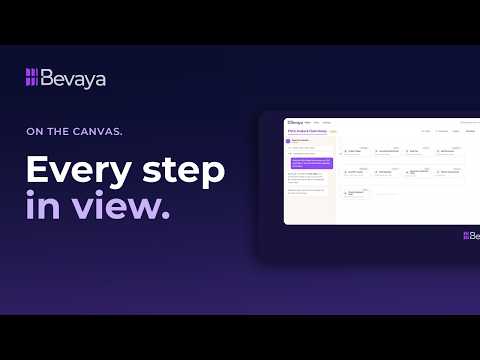
When an insurance AI agent pauses for human review, the reviewer needs the answer in front of them. This short product video follows one commercial property submission in Bevaya. The Insights page puts the blocking issues first, like missing loss runs, then shows the clearance check, appetite check and rating. The AI agent on the item answers questions about that submission in context.
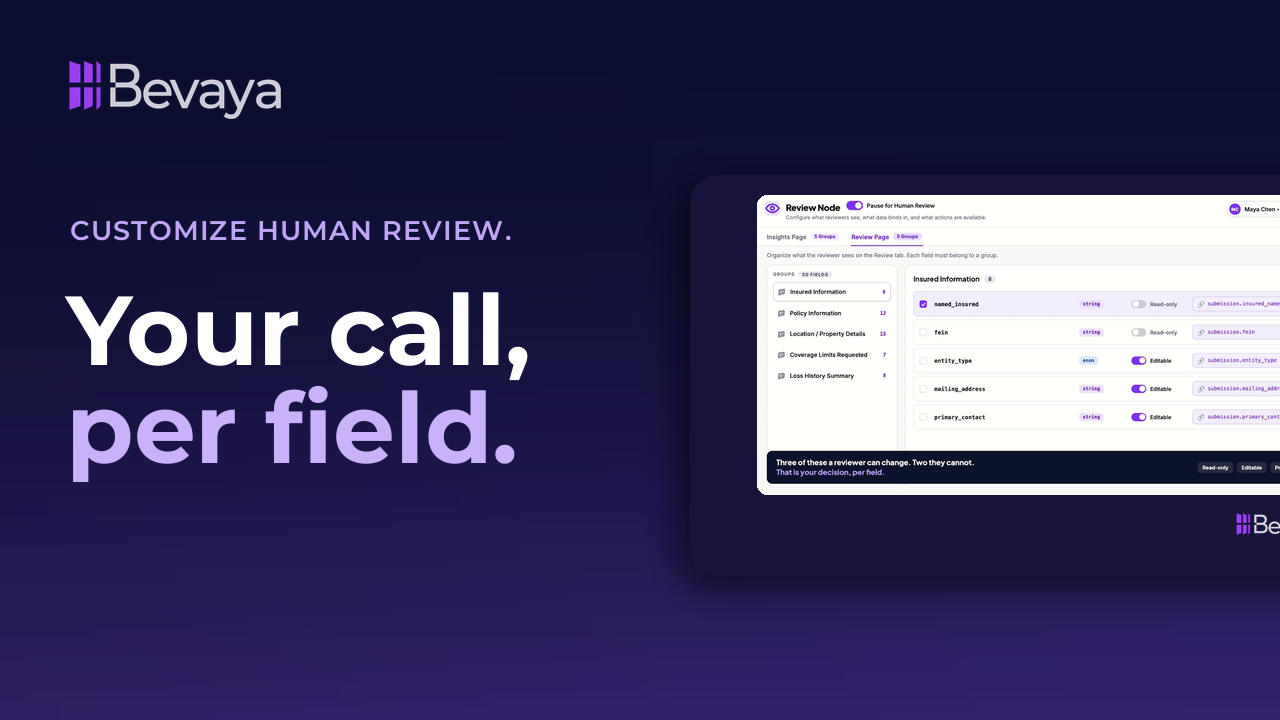
The second half shows the setup behind it. The review page is a node you configure. You bind data to each group, every field shows where its value came from, and you set each field as read-only or editable. It's for underwriting, claims and operations leaders at carriers, MGAs and TPAs who want human review built into their AI workflows.
Key takeaways
The answer is already on the page
The submission opens assembled, with blocking issues at the top and the clearance, appetite and rating details below.
Ask the agent about this submission
The AI agent sits on the item, knows what it did, and answers questions about that file.
Every field shows where it came from
Values pulled from the submission sit beside what the agent concluded, so reviewers can see both.
You decide what reviewers can change
Identity fields from the ACORD form stay read-only, while fields that often need correction stay editable.
Full transcript
You're mid-file and a question comes up. Normally that means stopping, opening another system, digging through things and losing your thread. Here you open the submission and it's already assembled with the key things to know at the top that are blocking its progress, followed by specifics on the clearance check, appetite check, and rating. Everything you would have gone digging for right where you are working.
And if you still aren't sure, just ask the agent. Your AI agent is on the item, not on the internet. It knows this submission. It already knows what it did, and it's ready to answer any questions you might have or thinks you might have.
And none of it is hard-coded. This page is a node. Five groups on the insights tab, 11 fields between them, and every field says where it came from. Total insured value and the wholesaler came straight off the submission. The risk rating score is the agent's, what the file said and what the agent concluded side by side on purpose.
And on the review tab, 50 fields across five groups. You decide what a human can change. Named insured and the FEIN are read-only because those are identity straight off the ACORD. Entity type, address, and contact are editable because those are the ones that turn out to be wrong. Then preview it as the person who will actually use it. You don't go and find the answer. It's already on the page.
Frequently asked questions
What does a reviewer see when an insurance AI agent pauses for human review?
In Bevaya, the reviewer sees the submission already assembled on one page. Blocking issues appear first, followed by the clearance check, appetite check and rating, with the source documents alongside.
Can reviewers ask the AI agent questions about a file?
Yes. The Bevaya AI agent sits on the item and knows what it already did on that submission. Reviewers can ask it questions in context without leaving the page.
How do you control what a human reviewer can edit?
You set each field as read-only or editable in the review node. In the video, the named insured and FEIN stay read-only because they come straight off the ACORD form, while entity type, address and contact stay editable.
Can reviewers see where AI-generated values came from?
Yes. Every field shows its source. Values like total insured value come straight off the submission, and the risk rating score shows what the agent concluded beside what the file said.
Related resources
Get new sessions first
New webinars, customer stories, and product videos from Bevaya.
- New webinars and interviews as soon as they go live
- Customer stories from insurers putting AI Agents into production
- Product walkthroughs of new Bevaya capabilities